Power BI Pokedex


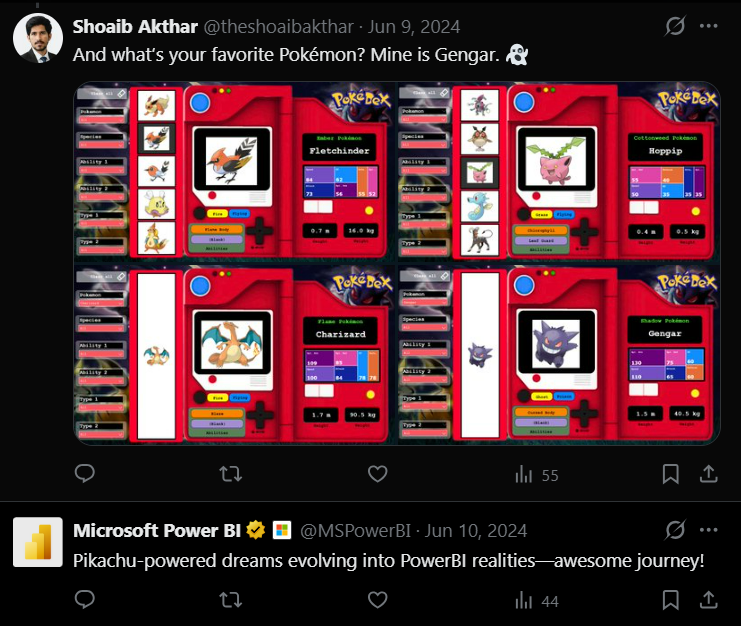
Here’s a tweet from official Microsoft Power BI account on X about my post about Power BI Pokedex.
Project Overview
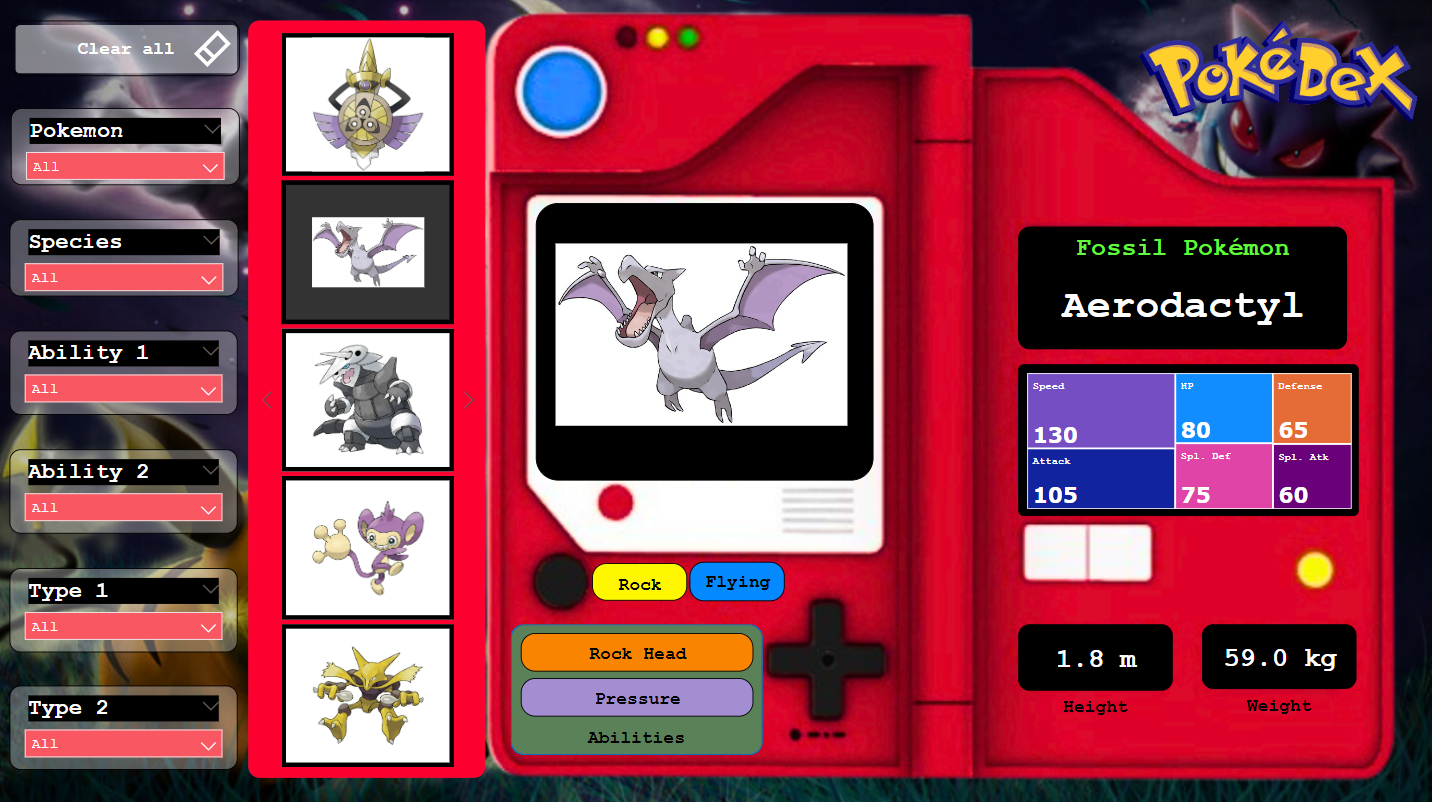
This project involves the creation of a Pokedex using Power BI. The goal was to replicate the visuals and functionality of the original Pokedex from the Pokémon series. The project connects to an online Pokémon database to retrieve images and uses a Kaggle dataset for detailed Pokémon information, all integrated into a custom-designed Pokedex interface.
Introduction
The Pokedex is an iconic tool from the Pokémon series, providing detailed information on every Pokémon. In this project, I recreated the Pokedex using Power BI, combining visuals, interactivity, and data integration to deliver an experience similar to the original Pokedex.
Data Sources
Pokémon Database Website: Used to retrieve images for each Pokémon. Kaggle Dataset: Provided comprehensive information on Pokémon, including stats, types, abilities, and more.
Power BI Dashboard
Steps Followed
The project was completed through the following steps.
Connecting to Data Sources
- Connected to the Pokémon database website to fetch images for each Pokémon.
- Imported and cleaned the Kaggle dataset containing detailed Pokémon information using Power Query.
Designing the Pokedex Interface
- Created a custom background in Power BI to mimic the original Pokedex interface.
- Integrated images and data into this interface, aligning visuals and information to replicate the classic Pokedex look.
Data Integration and Visualization
- Merged Pokémon images with the dataset to display them alongside their respective stats and information.
- Customized visuals to ensure they fit within the Pokedex interface, maintaining the aesthetic and functionality of the original tool.
Interactivity Implementation
- Added interactive features to allow users to search and filter Pokémon by various criteria, such as name, species, abilities and type.
Pokedex Features
The Power BI Pokedex includes the following features:
- Detailed Pokémon Profiles: Displays information such as type, abilities and stats for each Pokémon.
- Visual Replication: The interface is designed to look and feel like the original Pokedex, complete with matching colors and layouts.
- Interactive Search and Filter: Users can interactively search for Pokémon by name, type, or other criteria.
- Dynamic Visuals: Images of Pokémon are displayed dynamically as users explore the Pokedex, enhancing the user experience.
Conclusion
This Pokedex project demonstrates the power of Power BI in creating visually engaging and interactive tools. By combining data from various sources and replicating the Pokedex interface, I was able to create a functional and aesthetically pleasing dashboard similar to the original Pokedex.